Before you set up your Link Networks (VPN networks), it is important to carefully plan the network topology. One rule of thumb is to avoid creating a new network unless there are specific security reasons for it.
With AddSecure Link, you can arrange different devices in one or more networks.
Each Link Network cannot communicate with other Link Networks, and IP addresses in one network cannot be moved to another Link Network. A SIM card can be moved between networks, but it will get a brand-new IP address.
How to create a Link Network:
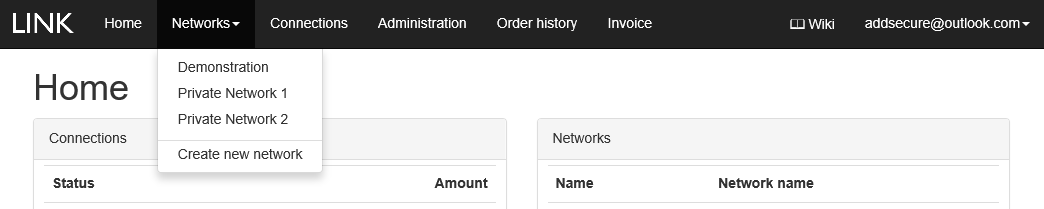
- In the menu bar, click Networks, and then click Create new network.
- Name the network and click Create.
 Note that it can take up to five minutes for your new network to be created.